Download & open
Grab the free app for your Mac or PC — a ~5 MB installer with no bundled extras. Open it and the drop zone is ready.
Turn iPhone and iPad photos into files anyone can open. Drag in your pictures, pick a format, and batch-convert hundreds of images in seconds — EXIF data and wide-gamut color kept intact. Free, offline, no upload and no watermark.
From download to a folder full of JPGs in under a minute — no account, no settings to learn, nothing uploaded.
Grab the free app for your Mac or PC — a ~5 MB installer with no bundled extras. Open it and the drop zone is ready.
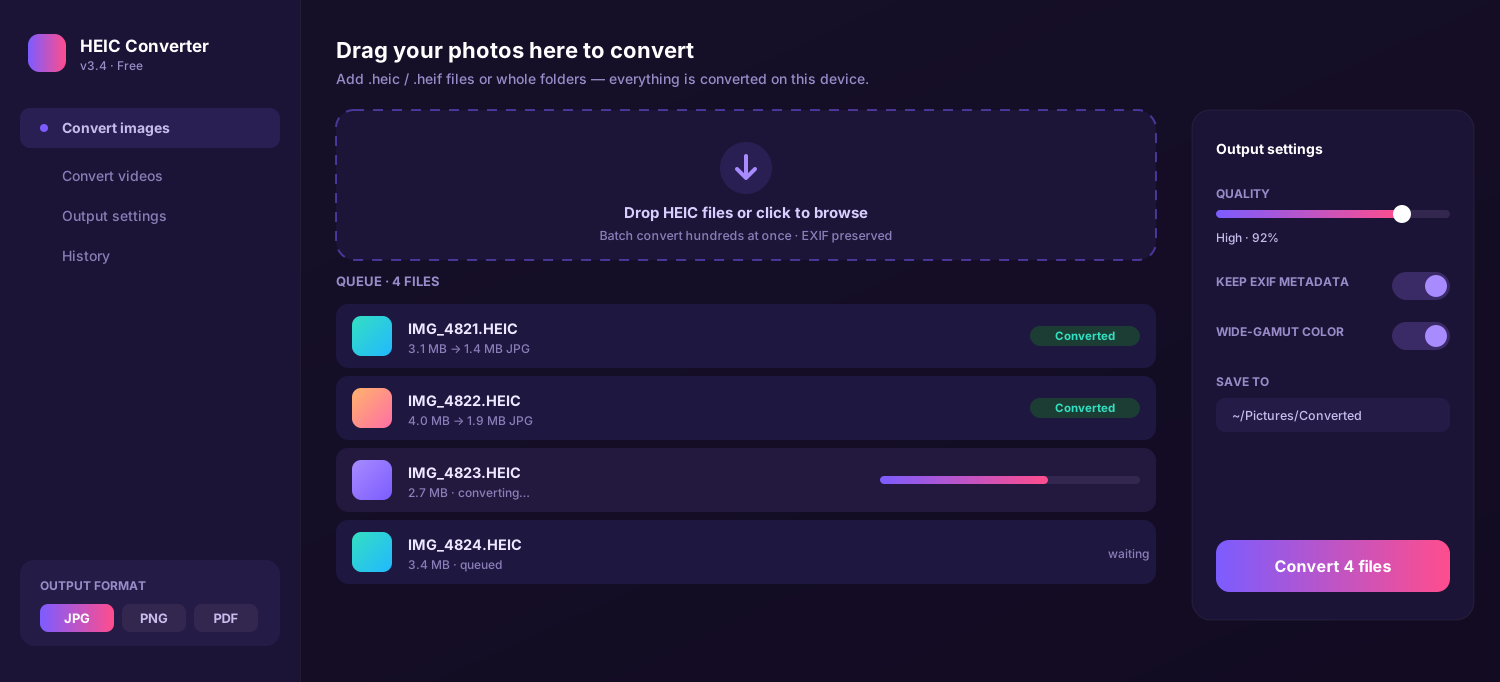
Drag in single .heic photos or whole folders, then pick JPG, PNG or PDF and set quality, resolution and EXIF options.
Click Convert. Hundreds of images are written at once, right beside the originals or in a folder you choose. Done.
Six tools in one tiny app — convert photos and videos, control quality, and keep the data that matters.
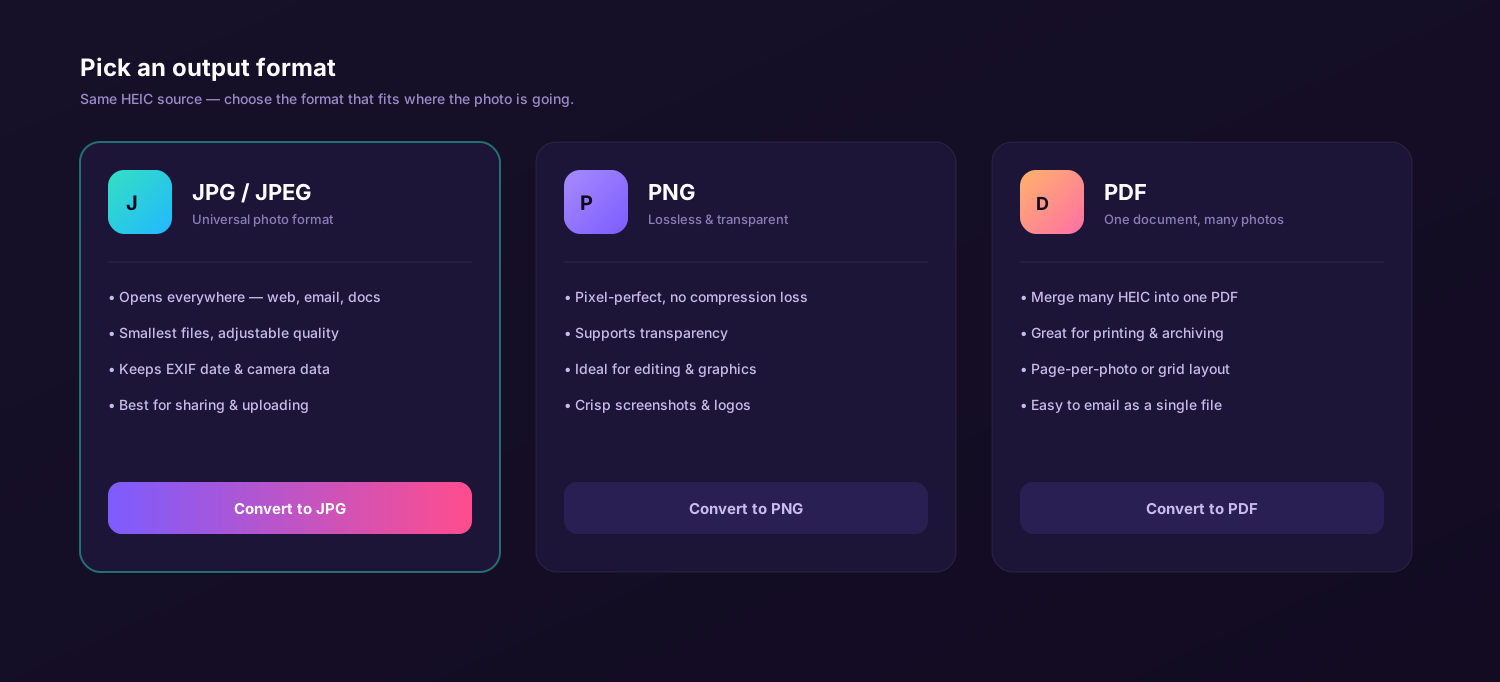
Convert Apple's HEIC and HEIF photos into the formats the rest of the world uses. JPEG for sharing, PNG for lossless editing, or merge a set of photos into a single PDF for printing and archiving — one drag-and-drop covers all three.
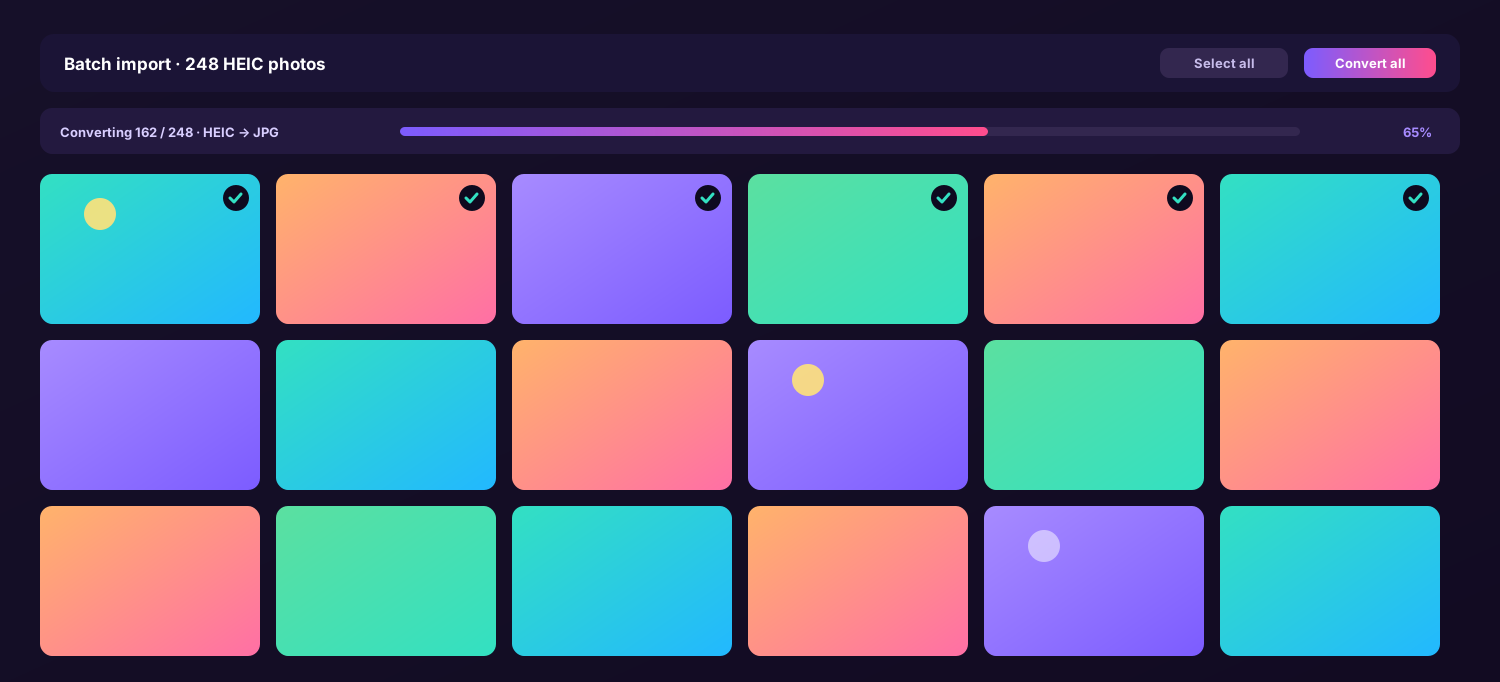
Drop entire folders and convert hundreds of photos in one run — no per-file clicking.
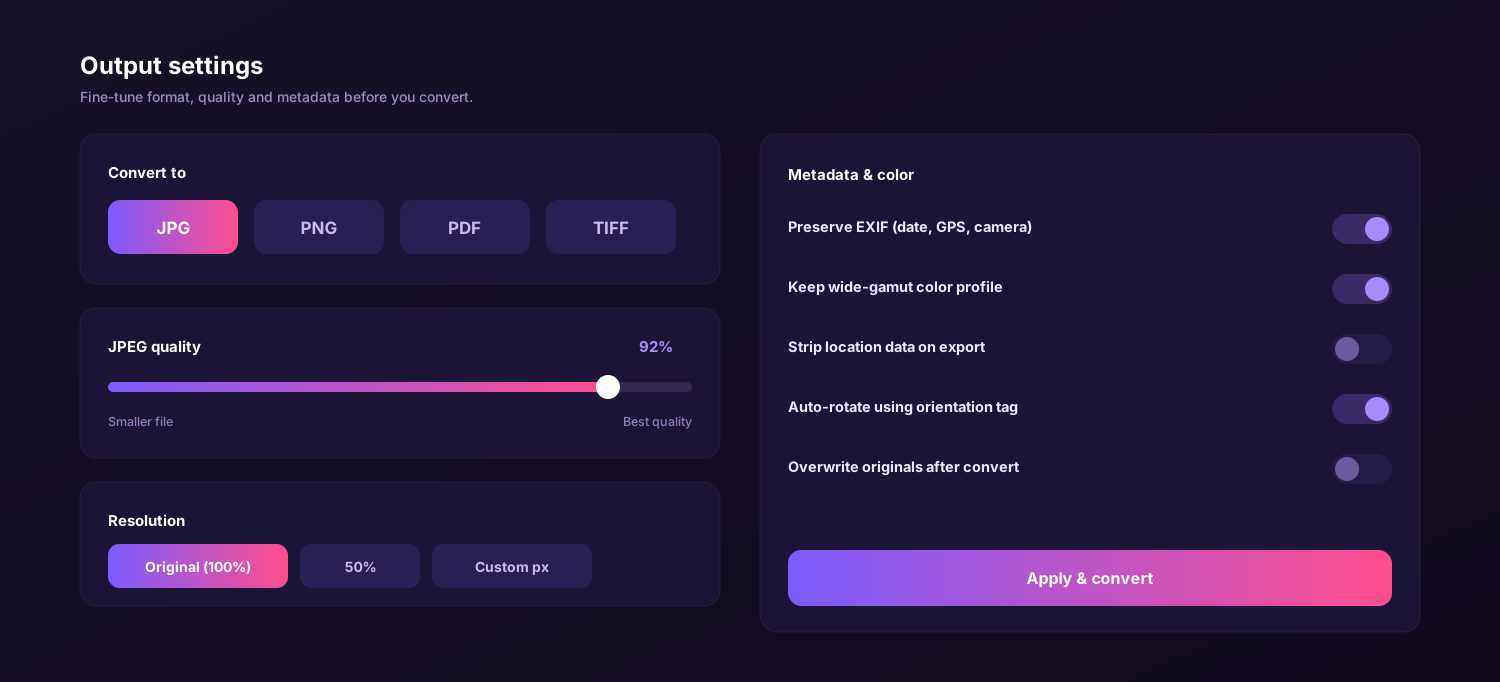
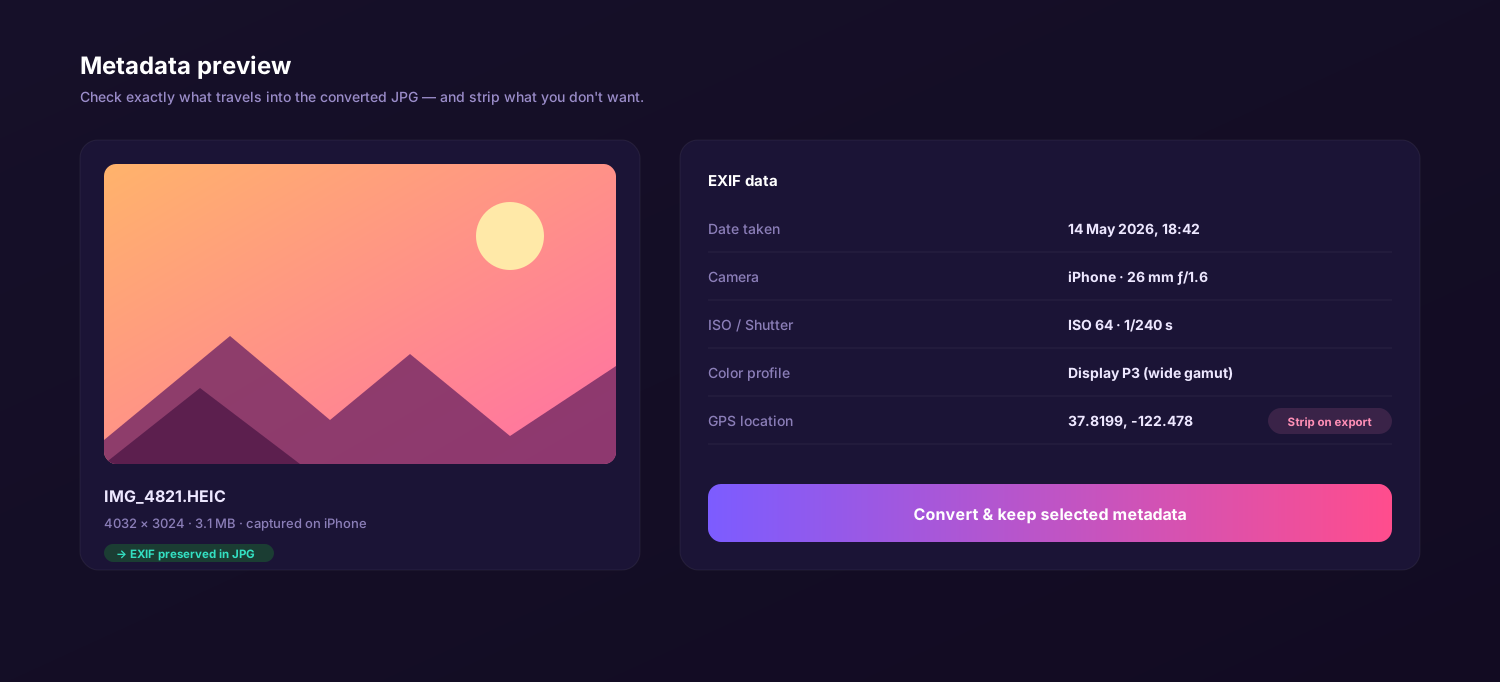
Date, camera, GPS and wide-gamut Display P3 color travel into the JPEG — or strip them on export.
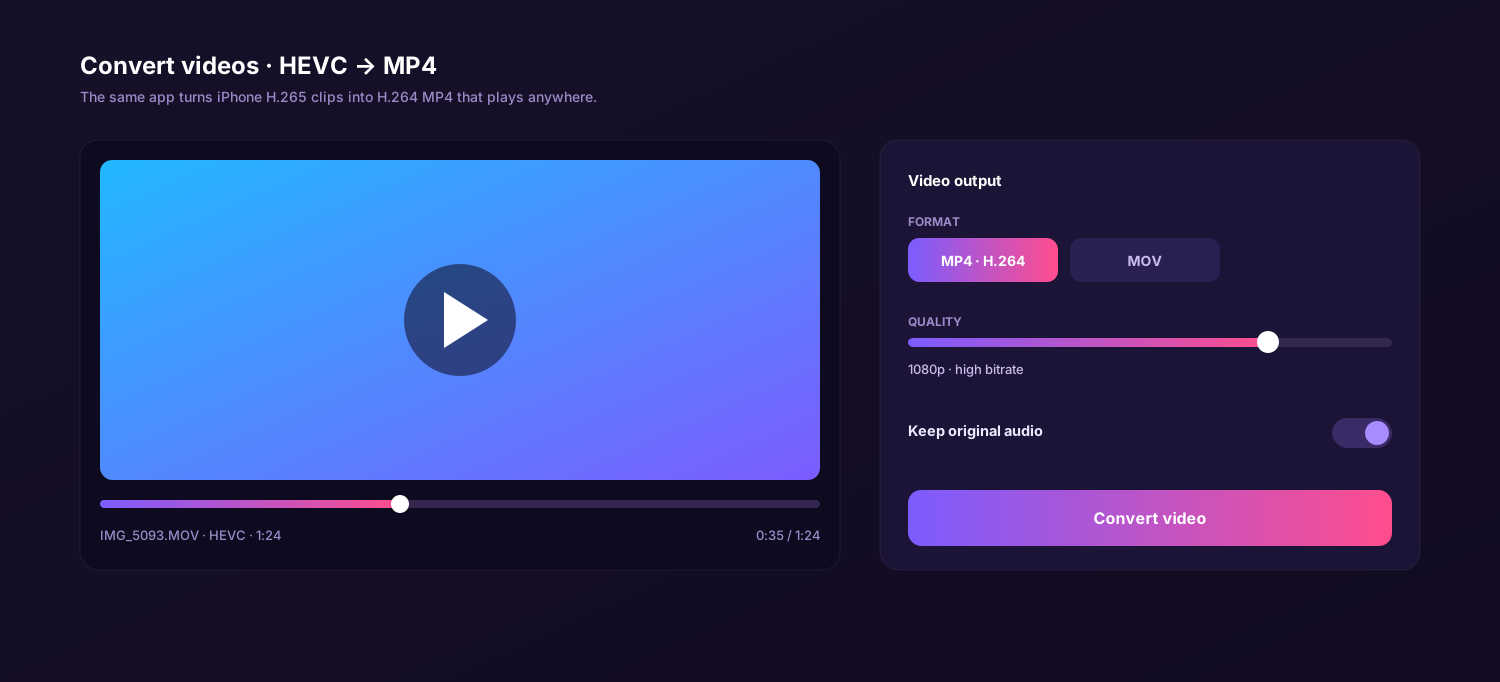
The same app converts iPhone H.265 (HEVC) clips into H.264 MP4 that plays on any laptop, projector or web page — with original audio kept.
Set JPEG quality and resize output — full size, a percentage, or exact pixels.
Everything runs on your device. Photos never leave your computer — no upload, no servers.
Drag, drop, convert. Click through the tabs to see the queue, batch import, format picker, settings, metadata view and video conversion.
Six things that matter when you are converting personal photos in bulk.
| Feature | This app | Online converter | Preview / Photos | Email yourself |
|---|---|---|---|---|
| Works fully offline | ||||
| Batch hundreds at once | Daily cap | Manual | ||
| JPG, PNG & PDF output | JPG/PNG | |||
| Keeps EXIF & P3 color | Varies | Varies | ||
| No upload of private photos | ||||
| Price | Free | Free / paid tiers | Free | Free |
↔ swipe to compare all columns
The same free app runs natively on both — pick your platform and convert locally.
On a MacBook, iMac or Mac mini the app opens HEIC straight from Photos or Finder and writes JPG, PNG or PDF beside the originals. It is a universal binary, so it runs natively on Apple Silicon and Intel.
On Windows, HEIC photos from an iPhone often refuse to open at all. The app fixes that without the HEIF extension store add-on — drop files in, convert to JPG, PNG or PDF, and they open in any Windows program.
I sent 300 holiday photos to my dad and none of them would open on his Windows laptop. I dragged the whole folder into the HEIC converter, hit convert, and re-sent them as JPG. Thirty seconds, done.
Full version for Mac and Windows. No subscription, no watermark, no daily limit. Convert HEIC to JPG, PNG or PDF — and HEVC video to MP4 — entirely on your own device.
Every photo a modern iPhone or iPad takes is saved as a HEIC file — a space-saving format that older programs, Windows apps and many websites still refuse to display. A heic converter fixes that in seconds by rewriting those pictures into universal formats, so a free heic to jpg converter is the quickest way to make a stubborn camera roll usable everywhere.
The tool described here is a small offline desktop app: a true heic file converter that runs on your own machine instead of a website. Drop in your photos, choose an output, and this fast heic image converter writes clean copies beside the originals — there is no sign-up, no daily limit and no watermark. Because it is a free heic converter you can keep, the same workflow handles one screenshot or a thousand vacation shots.
Honest answer to "is it really free": Yes — this heic to jpg converter free of charge is the full version, with no trial countdown and no feature paywall. Photo and video conversion are both included.
HEIC (High Efficiency Image Container) stores roughly the same picture quality as JPEG in about half the file size. That is excellent for your phone's storage, but it creates friction the moment you try to share, print or edit a photo somewhere else. A heic to jpeg converter solves the compatibility problem by decoding the original and re-encoding it as a standard file every program understands.
Most people only need a couple of outputs. A heic to png converter is ideal when you want a lossless, edit-ready copy that supports transparency, while JPEG keeps files small for email and the web. Because output is local, a heic to png converter free of upload limits can process an entire folder without ever touching the internet — and the app also exports PDF, so one drag-and-drop covers sharing, archiving and printing.
"I had 600 photos from a trip my Windows laptop would not open. One batch run and they were all JPG — no website, no waiting."
macOS already understands HEIC, but the rest of the world does not — so a Mac heic converter to jpg is still essential the moment you send photos off your machine. Here is what matters when you convert on a MacBook, iMac or Mac mini.
Select images in Photos, Finder or an AirDrop folder and drop them in. As a free heic to jpg converter for Mac, the app needs no plug-in and no extra codec — it reads HEIC natively.
Display P3 wide-gamut color and EXIF data carry into the JPEG, so converted photos look identical and stay searchable by date and place. A heic to jpg free converter should never quietly degrade your shots.
Need a printable file? The built-in heic to pdf converter merges a set of photos into a single document — handy for receipts, ID scans or a photo contact sheet straight from the camera roll.
Drag, choose JPG, convert. On macOS the app keeps EXIF and P3 color intact while it writes JPG copies beside the originals.
Web tools are convenient for a single image, but they ask you to upload private photos and usually cap how many you can do. Three honest comparisons for people converting in bulk.
Windows is where HEIC causes the most trouble — double-click an iPhone photo and it often will not open at all without a paid codec. This app is the simplest heic converter to jpg for a PC: install it, drag your files in, and they become standard images that File Explorer, Office and every browser display normally.
Beyond photos, it doubles as a heic converter to pdf, so you can turn a stack of phone snapshots into one printable document. Everything runs on the PC itself — as a free heic to pdf converter that never uploads anything, it is a safer choice than pasting personal photos into a website.
The routine is the same on both platforms and takes about a minute. Once it is installed you rarely touch the settings again — your last choices are remembered for next time.
Get the free app for macOS or Windows from the Download button on this page — a tiny installer with no extras attached.
Drop single photos or whole folders into the window. The queue shows each file with its original and converted size.
Pick JPG, PNG or PDF, set the JPEG quality slider, and decide whether to keep or strip EXIF and GPS location data.
Click Convert. Copies are written to your chosen folder in seconds — open, share or print them anywhere.
Set it once. Format, quality and metadata choices are saved for the next batch.
Your camera roll is personal — family, documents, screenshots, the occasional photo of a passport or bank card. Converting those on a website means uploading them to a stranger's server. A local app keeps every photo on your own machine from start to finish.
The app decodes and re-encodes images entirely on your Mac or PC. There is no upload, no account and no cloud copy — which makes it the safest free heic to pdf converter and JPG tool for sensitive photos and paperwork. That is the whole point.
Whether you need a quick heic to jpeg converter free of cost for a single screenshot, or a heic to pdf converter free to bundle a month of receipts, doing it on your own device is faster, more private and genuinely unlimited. One small download covers photos and video on both Mac and Windows.
The simplest way to turn iPhone HEIC photos into JPG, PNG or PDF on any computer. Free download, no subscription, no watermark — works offline on Mac and Windows.
HEIC is the high-efficiency image format that iPhones and iPads use by default. It saves space but is not supported everywhere, so older apps, Windows programs and many websites cannot open it. A heic file converter rewrites the photo as a universal JPG, PNG or PDF that opens on any device.
Yes. It is a genuinely free heic converter, with no trial countdown, no watermark and no daily limit. You can batch convert as many photos as you like, and video conversion (HEVC to MP4) is included too.
Download the free app, drag your .heic photos into the window, choose JPG as the output and set the quality. Click Convert and this heic to jpg converter free of upload limits writes standard JPEG copies to your chosen folder while preserving EXIF data and Display P3 color.
Yes. The same app runs on Windows 10 and 11. After the heic to jpg converter download, drop in single files or whole folders and convert them to JPG, PNG or PDF locally — no HEIF codec from the Microsoft Store is required, and nothing is uploaded to the internet.
Yes. EXIF metadata such as the date, camera model and GPS location is preserved when converting to JPEG, and wide-gamut color profiles are retained. You can also choose to strip location data before export if you would rather not share where a photo was taken.
Yes. As well as JPG, it works as a heic to png converter for lossless, transparent copies and as a heic to pdf converter that can merge many photos into one document for printing or archiving.